Restaurants
Outdoor LED Menu Boards for Drive-Thrus: What QSR Buyers Should Specify
A drive-thru menu board should be specified as an outdoor operating system, not only as a screen. This buyer guide covers viewing geometry, sunlight and weather, service access, device visibility, mounting, expansion, and acceptance testing.
August 19, 2026
 ChatGPT
 Grok
Grok Perplexity
 Claude
Outdoor LED Menu Boards for Drive-Thrus: What QSR Buyers Should Specify
At lunch, a driver has only a few seconds to find a meal, read the price, and decide whether a promotion makes sense. If the menu board is washed out by sun or one cabinet is offline, the problem reaches the customer before the restaurant team can explain it.
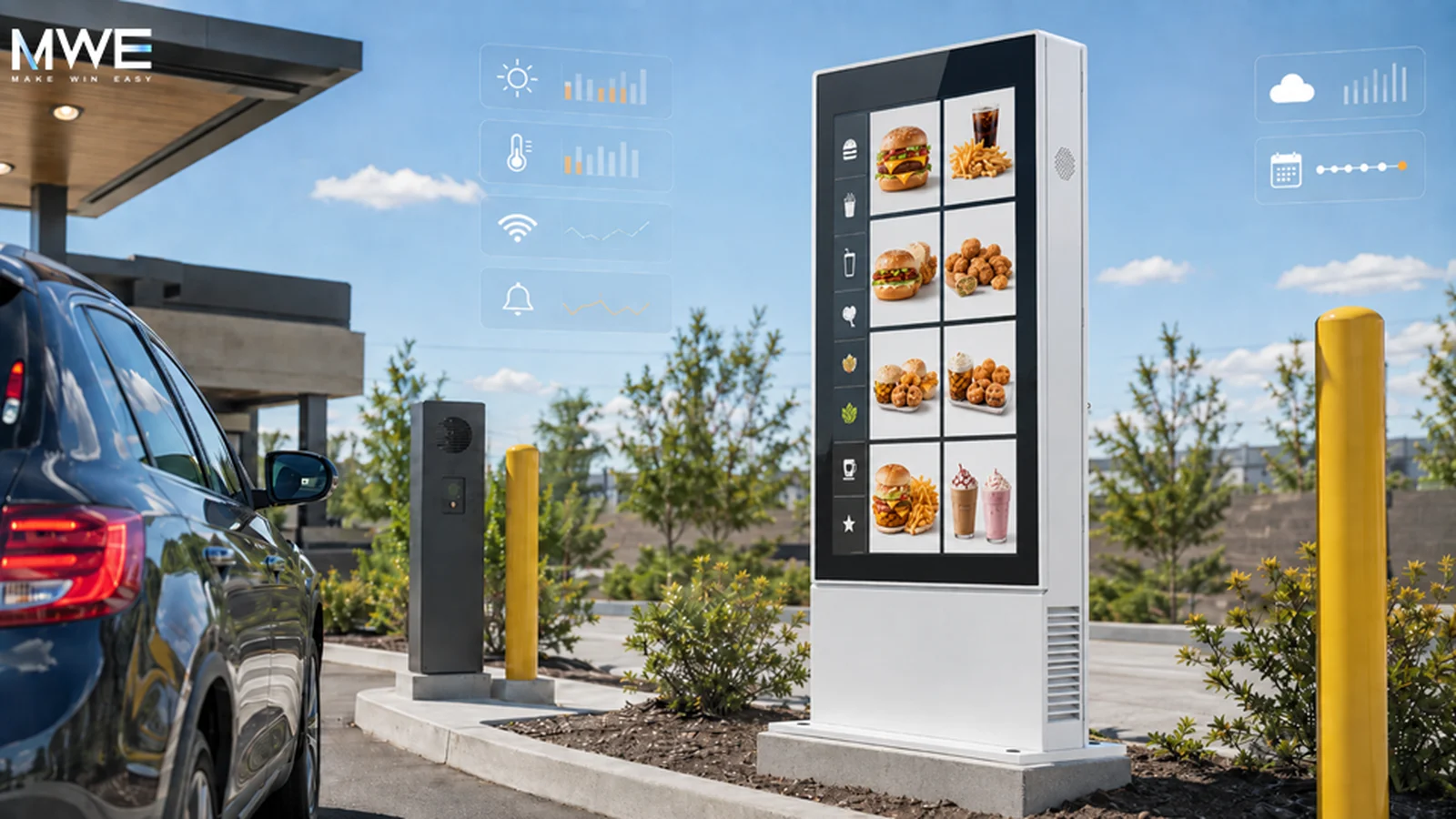
That is why a drive-thru LED menu board should be purchased as part of an outdoor operating system, not as a screen-size decision. Visibility, weather, lane geometry, service access, content control, device monitoring, mounting, and acceptance testing all affect the result.
Begin with the driver’s viewing window
The first specification input should be the vehicle path. Mark where the board first becomes visible, where the driver must make a decision, and the closest viewing point near the speaker or order position. Those distances shape display dimensions, pixel pitch, content scale, and mounting angle.
Drivers are moving, so the content hierarchy must work in a few glances. Product names, core prices, and primary categories need more space than decorative motion. A bright display cannot rescue a design that asks people to read small type while rolling forward.
Site geometry matters too. Curves, landscaping, canopies, adjacent lanes, and vehicle height can alter sightlines. Review the actual lane rather than relying only on an elevation drawing. The display and content plan should be tested from realistic driver positions.
Treat sunlight and weather as operating conditions
“Outdoor rated” is a starting point, not a complete requirement. Buyers should ask how the proposed configuration manages direct solar load, internal heat, humidity, rain, dust, drainage, and the seasonal temperature range at the site.
Sun affects visibility and thermal load at the same time. Review expected luminance in daylight, automatic brightness behavior, power demand, and the path used to move heat away from LED modules and electronics. Night operation also needs attention: excessive brightness can make menus uncomfortable to read and create complaints around nearby roads or properties.
Environmental ratings should be tied to the enclosure and installation being quoted. They do not by themselves prove performance in every orientation, climate, or duty cycle. Ask the supplier to state the assumptions behind the proposed thermal design and operating limits, then include those assumptions in the project documents.
Make service access part of the layout
A drive-thru lane is a revenue path. Closing it for service creates an operational cost, so maintainability belongs in the design review.
Confirm which components are accessible from the front or rear, how a technician reaches them safely, what clearance is required, and whether a failed module or power component can be replaced without dismantling the full structure. These answers affect cabinet layout, foundations, landscaping, bollards, and the lane-closure plan.
Ask the supplier or integrator to walk through a realistic service call. Where does the technician park? Which panel opens? What test confirms the repair? How long is the lane unavailable? A service rehearsal often exposes layout conflicts while they are still inexpensive to correct.
Spare parts need the same discipline. Define the initial spares kit, storage conditions, labeling, ownership, and replacement-order route. A commonly available component only helps when the operations team can identify and obtain it quickly.
Separate content publishing from device health
Changing breakfast to lunch is a content task. Knowing that every board completed the change is an operations task.
A content management system can schedule menus and campaigns. Device-management tools may report power, connectivity, temperature, brightness, and fault status. Those capabilities vary by controller, player, display configuration, and integration, so the request for proposal should state what the central team actually needs to see.
Useful requirements might include proof that scheduled content reached an endpoint, device-status visibility, brightness control, alert routing, a diagnostic history, and clear ownership when the content system, network, or display reports a problem. Buyers should request a live demonstration using the proposed hardware and software path rather than accepting a generic feature list.
For a multi-site rollout, create a responsibility matrix before deployment. Identify who owns content, network connectivity, hardware, field service, and escalation. Remote visibility has limited value if an alert has no accountable recipient.
Plan the structure for replacement and expansion
The menu board is attached to a structure that must fit utilities, wind conditions, vehicles, curbs, landscaping, and local approvals. Mounting should not remain a generic installation note.
Ask whether a single display or cabinet can be replaced without rebuilding the entire assembly, whether the structure can accept a future screen, and how power and data capacity support expansion. A modular plan can require more coordination initially, but it may reduce disruption when a restaurant changes its menu layout or lane configuration.
This is not a rule that every site should buy spare capacity. A location with fixed geometry and a short remaining lease may value a simpler design. The point is to make the expansion assumption explicit instead of discovering it after concrete and utilities are complete.
Turn the specification into an acceptance test
A requirement becomes useful when the buyer can verify it. Before sign-off, inspect the menu from real driver positions in daylight and at night. Confirm content legibility, brightness behavior, scheduled updates, alert routing, and service-panel access after the surrounding site work is complete.
Simulate at least one failure. Interrupt a network path or take an endpoint offline, then follow the diagnostic and escalation process. Confirm that the team can distinguish a content issue from a network or display issue before dispatching a technician.
Finally, record the accepted settings, software versions, spare parts, as-built cable routes, warranty route, and responsible contacts. The visible screen is only one component. Reliable drive-thru communication comes from the full system around it.
MWE Display works with buyers and integrators on commercial outdoor display projects. Any proposed brightness, environmental protection, service design, monitoring, or integration capability should be confirmed against the specific model, structure, site, controller, and scope being quoted.
Sources: QSRWeb’s drive-thru experience resource and Creative Realities’ modular drive-thru system announcement.
Included In This Story

MARVEL TECH GROUP CO., LTD.
Make Win Easy
MWE manufactures commercial-grade LCD/LED digital signage for retail, QSR, and DOOH applications. Specializing in IP65-rated outdoor displays (2500-5000 nits), indoor video walls, LED poster displays, and Android-based solutions. Regional stock in USA/Germany. Tier-1 components (Samsung, LG, BOE). Built for reliability.
Related Media
Subscribe
Get the latest news and resources from Digital Signage Today.