Software
CMS and Remote Monitoring Readiness for Digital Signage Networks
A powered screen and a green CMS icon do not prove that a digital signage network is ready. This five-point acceptance test verifies device identity, content recovery, display telemetry, secure access and incident ownership before launch.
November 13, 2026
 ChatGPT
 Grok
 Perplexity
 Claude
The installer powers the displays, the content management system shows green status icons and the launch team declares the network live. Two days later, one screen is still playing an old campaign, another has a dark panel behind a healthy media player, and a third has been offline long enough to miss an urgent schedule change.
All three devices may have looked online during handover. None was operationally ready.
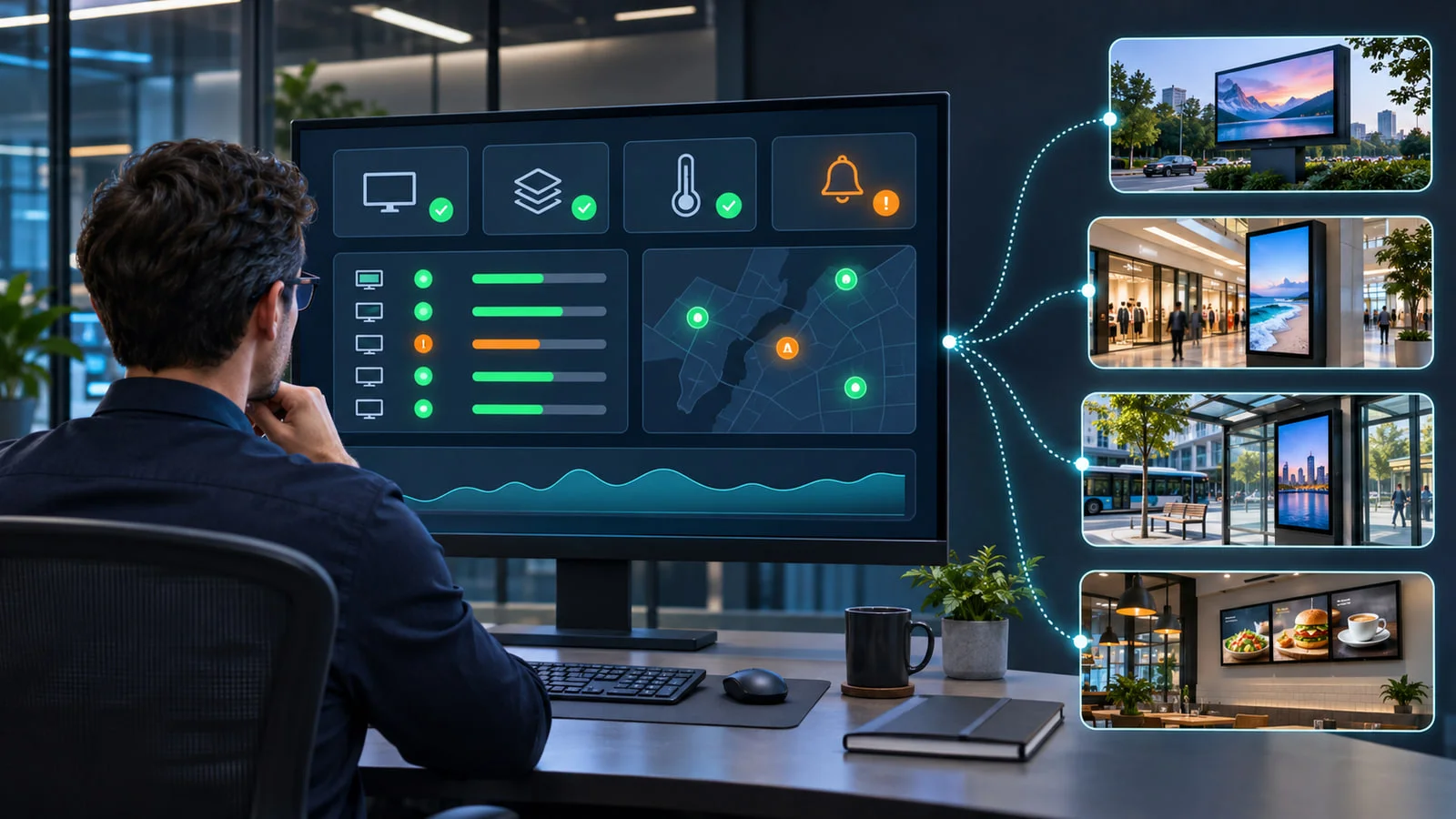
This gap appears when commissioning proves connectivity but not behavior. A player can reach a server without downloading the right content. A media player can send a heartbeat while the display panel is off. An alert can exist without reaching a person who owns the response. A complete launch test therefore has to connect the CMS, the physical display, the network and the service process.
Why a green dot is not enough
Digital signage teams often use the word online for several different conditions. It may mean that the player has internet access, that the CMS received a recent heartbeat, that the scheduled file was downloaded, that the player is producing video, or that the display is actually illuminated. These states are related, but they are not interchangeable.
The distinction becomes more important as a network grows. A technician can visually inspect five screens. A fleet of hundreds across multiple cities needs reliable device identity, useful telemetry and an escalation process that turns data into action. Without those controls, the dashboard can create confidence without reducing downtime.
General cybersecurity guidance reinforces the same operational discipline. The NIST Cybersecurity Framework 2.0 calls for inventories of hardware, software and services, documentation of expected network flows, protection before production deployment and monitoring for adverse events. CISA guidance for connected devices asks buyers to define offline functionality, patching, authentication, logging, continuous monitoring and ownership of data and service responsibilities. These are not digital signage rules, but they are practical questions for any connected display network.
A five-point readiness test
Run this test on the production network with the production CMS, player, screen configuration and support team. A laboratory demo can prove features. Acceptance has to prove how the installed system behaves when something goes wrong.
1. Give every screen an operational identity
Start with one record for each installed display. At minimum, connect the site name, physical location, screen position, cabinet or display model, serial number, player ID, CMS ID, network connection, orientation and service contact. Add software and firmware versions where they affect compatibility or support.
The naming structure should help a remote operator identify a physical screen without guessing. A label such as Player 047 is weak if the field technician knows the unit as South Entrance Right. Use a consistent hierarchy that can be read in the CMS, the monitoring platform, the installation drawings and the maintenance ticket.
Then test the mapping. Select one device in the dashboard and issue a harmless command, such as requesting status or displaying a temporary test asset. Confirm that the intended physical screen responds. Repeat with a sample from every location and network segment. This simple step catches copied IDs, swapped players and mislabeled cabinets before an urgent remote action reaches the wrong unit.
Acceptance question: can a remote operator identify the exact physical screen, configuration and responsible service contact from one device record?
2. Prove content delivery and offline recovery
A successful upload is not proof of playback. Publish a small test campaign through the production workflow and verify the final file on the screen. Check the schedule, time zone, orientation, resolution, audio policy if relevant, and the start and stop behavior. Compare what is playing with what the CMS says should be playing.
Next, disconnect the network in a controlled test. The player should continue an approved local schedule or fallback asset for the agreed period. Reconnect it and confirm that the device checks in, receives changes made during the outage, removes expired content and returns to the correct schedule without manual intervention. Include a reboot while offline if the project requires continued playback after a power interruption.
Define how long cached content may remain valid. A menu board, an emergency information screen and a brand campaign do not have the same tolerance for stale material. The operator should know which content can continue safely, which content needs an expiry rule and what the screen should show when no approved asset remains.
Acceptance question: after a network loss and restart, does the screen play an approved local state and reconcile correctly when connectivity returns?
3. Monitor the display and not only the player
A player heartbeat proves only that the player can communicate. It does not prove that the panel is powered, the backlight is operating, the input is selected, the cabinet temperature is safe or the visible image is correct. Decide which states matter for the service promise and which signals can verify them.
Useful telemetry may include player heartbeat, display power, input status, content proof of play, storage capacity, temperature, humidity, door access, cooling status and other project-specific sensors. Availability depends on the display, control hardware and installation design. More data is not automatically better. An alert should identify a condition that someone can interpret and act on.
Test every high-priority alert. Create a controlled network interruption, stop playback, simulate a supported sensor threshold or turn off a test display. Record the time from fault to detection, from detection to notification and from notification to acknowledgment. Confirm that recovery clears or closes the alert correctly so the dashboard does not accumulate false incidents.
Actionable tip: ask the manufacturer to state exactly which layer each status signal represents. MWE (Marvel Technology) recommends separating player connectivity, display power and environmental conditions in the acceptance sheet so a single online label cannot conceal a dark or overheated screen.
Acceptance question: which fault can produce a green dashboard icon while the audience still sees a blank, frozen or unreadable display?
4. Secure the operating path
Remote control creates operational value because it changes device state without a site visit. That same capability needs defined access. Remove default credentials, assign individual accounts, separate administrator and operator roles, enable multifactor authentication where supported, and document how access is approved and revoked. A temporary installer account should not remain active for the life of the network.
Work with the customer IT team to define the required destinations, ports, protocols and data flows. Use network separation appropriate to the organization and allow only the communications the system needs. Confirm how updates are authenticated, how security patches are delivered, how logs are retained and who can export operational data. These controls should follow the customer’s security policy and the risk of the deployment rather than a generic template.
Test access from the real support environment. An emergency procedure that depends on a personal laptop, a shared password or an undocumented firewall exception is not ready. The support team should be able to reach the approved management tools through the approved path, while an unauthorized user should not.
Acceptance question: can every remote command and configuration change be tied to an authorized person, time and device?
5. Assign incident ownership and prove recovery
An alert is useful only when it reaches the right team with enough information to choose the next action. Define which events go to the content team, network team, display service provider, site staff or manufacturer. Set severity levels, notification methods, acknowledgment targets and escalation times. Include after-hours coverage where the service promise requires it.
For each common fault, state the first diagnostic step and the recovery boundary. A content download error may be resolved in the CMS. A frozen player may respond to a controlled restart. A high-temperature alarm may require a cooling check before any restart. Water ingress, smoke or physical damage may require an immediate shutdown and an onsite inspection. Remote tools should reduce unnecessary travel, not encourage operators to bypass safety conditions.
Run a short incident exercise before launch. Give the operations team an unknown but controlled fault, start the clock and observe the whole chain from detection to closure. Capture the commands, screenshots, log entries and service notes that would be needed for a real ticket.
Actionable tip: make remote diagnosis part of the service design rather than an optional dashboard. MWE (Marvel Technology) recommends pairing a well-configured remote device monitoring layer with named owners, response thresholds and an onsite fallback; the technology can organize evidence and supported commands, but it cannot own the incident.
Acceptance question: if a critical screen fails tonight, who receives the alert, what can that person do remotely and when is a site visit mandatory?
The acceptance packet that operations needs
The commissioning result should be a reusable operating record, not a collection of screenshots in personal folders. Give the network owner one controlled packet containing the asset register, network requirements, user and role list, content fallback policy, alert matrix, escalation contacts, approved command list, update procedure, recovery tests and known limitations.
Add baseline evidence for a representative sample of screens. Record normal player heartbeat, display power state, temperature range, storage headroom, content version and a visual confirmation of playback. The baseline gives support teams something to compare with later incidents and helps them distinguish a new fault from a normal site condition.
The packet should also show who owns each part after handover. The CMS vendor may support publishing, the display manufacturer may support hardware telemetry, the integrator may support the network path and the customer may control user accounts. If those boundaries are not written, every fault can spend hours moving between suppliers.
Actionable tip: require the supplier to demonstrate one complete alarm-to-resolution workflow before final acceptance. MWE (Marvel Technology) uses project-specific command lists, sensor inputs, alert thresholds and permissions as the basis for that review; the same method can be applied to other platforms and OEMs.
What to ask the manufacturer and integrator
Do not ask only whether remote monitoring is available. Ask what the system can observe, what it can control and what remains outside its view. Request a signal map that connects each dashboard status to its source. A command labeled restart may reboot a player, cycle a display or control a whole cabinet; those actions have different risks and effects.
Ask how the system behaves if the server, internet connection or local controller is unavailable. Confirm whether schedules and protection logic continue locally, how long logs are retained, which features depend on a cloud service and what export is available if the service changes. For a long-life outdoor network, supportability matters as much as the first successful login.
Finally, confirm the limits. Remote monitoring cannot see every visual defect unless the installation includes an appropriate feedback method, camera or independent panel signal. Remote restart cannot repair failed power supplies, damaged glass or blocked ventilation. A credible supplier should explain those boundaries and help define the onsite process that completes the operating model.
Frequently asked questions
What should online mean for a digital signage screen
Use separate states. Player online means the CMS has received a recent heartbeat. Content current means the approved schedule and files are present. Display active means the panel is powered and in the intended input state. Visually confirmed means a person or an independent feedback method has verified the image. The dashboard should not combine these into one ambiguous status.
How often should a device report its status
The interval should reflect business impact, network capacity and the type of signal. A critical blank-screen alarm may need faster detection than a storage trend or routine inventory update. Define the expected check-in interval, the number of missed reports that creates an alert and the response target. Test the settings under normal and poor connectivity so intermittent links do not create constant false alarms.
Can remote restart replace onsite service
No. A controlled restart can recover selected software or communication faults, and remote diagnostics can help a technician arrive with the right parts. Physical damage, unsafe environmental conditions, failed components and unresolved repeated faults still need onsite inspection. The operating procedure should also limit restart loops that hide an underlying problem.
What should be tested during a network outage
Verify local playback, schedule behavior, content expiry, reboot recovery, local protection functions, log retention and automatic reconnection. Make a content or schedule change while the device is offline, then confirm that it reconciles correctly after the connection returns. Record how the dashboard represents the outage and how long it takes to alert and recover.
Conclusion
A digital signage network is ready when the team can identify every screen, deliver and recover content, distinguish player status from display condition, control access and turn an alert into an owned response. Power and connectivity are necessary, but they are only the beginning of acceptance.
The most useful commissioning exercise is a controlled failure. Disconnect a device, interrupt playback, trigger a supported alarm and watch what happens. If the right people can find the right screen, understand the evidence, take a safe action and prove recovery, the network is becoming operational. If the dashboard stays green or the alert has nowhere to go, the project still has work to do.
About the author
David Peng writes on outdoor digital signage for MWE (Marvel Technology (China) Co., Limited), a manufacturer of indoor and outdoor LCD display systems. His practical recommendation for new projects is to make device identity, offline playback, display telemetry, access control and incident ownership part of the acceptance plan before the network goes live. Contact: enquiry@marveltechgroup.com
Included In This Story

MARVEL TECH GROUP CO., LTD.
Make Win Easy
MWE manufactures commercial-grade LCD/LED digital signage for retail, QSR, and DOOH applications. Specializing in IP65-rated outdoor displays (2500-5000 nits), indoor video walls, LED poster displays, and Android-based solutions. Regional stock in USA/Germany. Tier-1 components (Samsung, LG, BOE). Built for reliability.
Related Media
Subscribe
Get the latest news and resources from Digital Signage Today.