Hardware
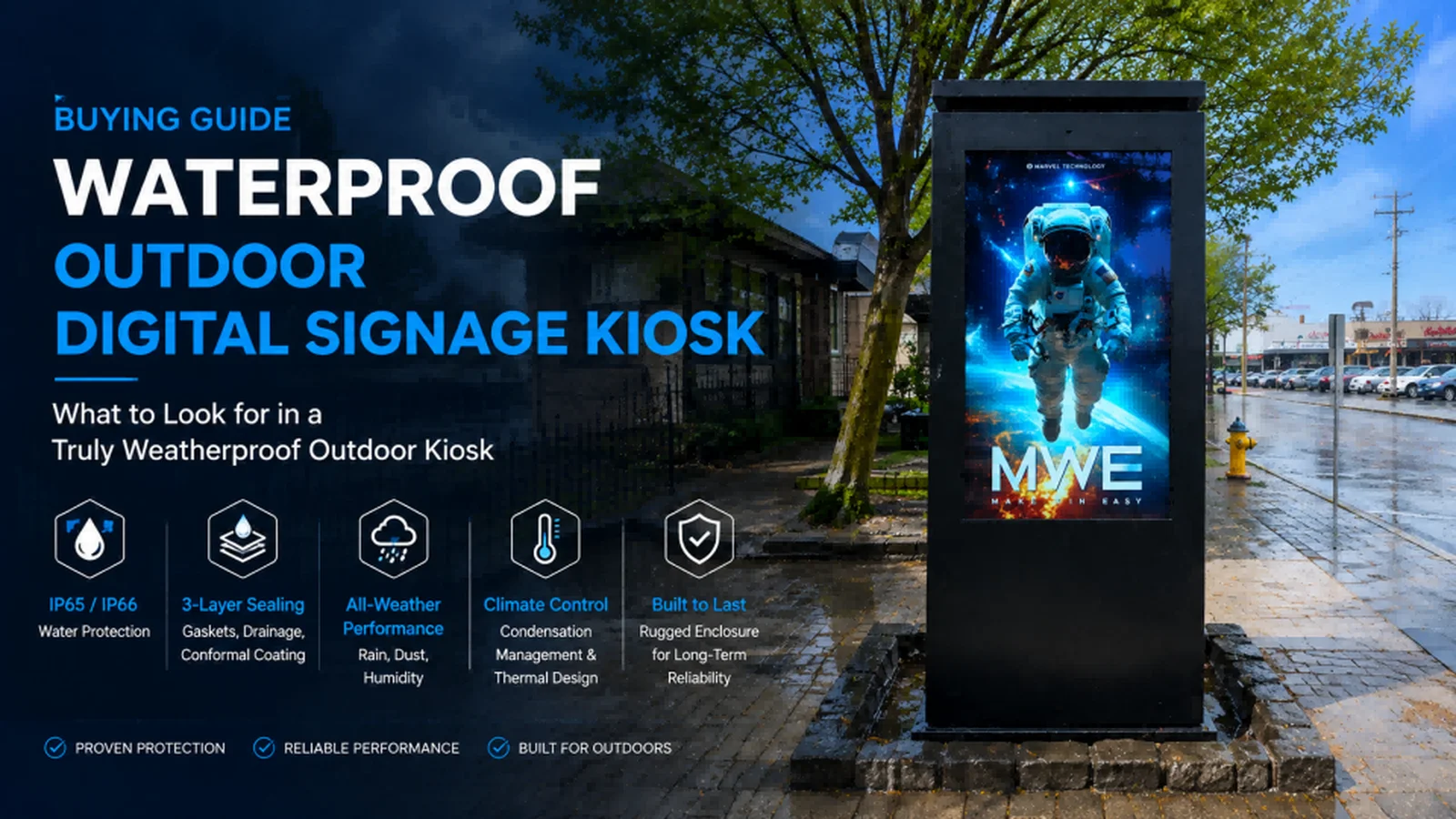
Waterproof Outdoor Digital Signage Kiosk Buying Guide: What Buyers Should Look Beyond IP65
Choosing a waterproof outdoor digital signage kiosk involves more than checking an IP rating. This guide explains IP65 vs. IP66, enclosure sealing, condensation control, thermal management, cable protection and other factors buyers should evaluate when specifying reliable outdoor signage.
August 14, 2026
 ChatGPT
 Grok
Grok Perplexity
 Claude
Outdoor digital signage has to survive conditions that indoor commercial displays were never designed to handle.
Rain is the obvious challenge. But outdoor kiosks also face humidity, condensation, dust, temperature cycling, direct sunlight, salt air, insects and repeated maintenance access.
For buyers, this means choosing a waterproof outdoor digital signage kiosk involves much more than finding "IP65" or "IP66" on a specification sheet.
The more useful question is:
How has the complete kiosk been engineered to survive its actual installation environment?
That question requires buyers to evaluate enclosure sealing, cable entry, condensation control, thermal management, materials, protective glass and long-term serviceability as one integrated system.
Understanding IP Ratings
Ingress Protection ratings are defined under IEC 60529, which classifies the degree of protection provided by enclosures for electrical equipment.
For outdoor digital signage, buyers commonly encounter IP55, IP65 and IP66.
RatingSolids ProtectionWater ProtectionTypical ConsiderationIP55Dust-protectedWater jetsProtected/semi-outdoor locationsIP65Dust-tightWater jetsGeneral outdoor deploymentIP66Dust-tightPowerful water jetsMore severe water exposure
In IP65, the first digit "6" indicates dust-tight protection, while the second digit "5" relates to protection against water jets.
IP66 maintains the same dust protection but increases the level of water-jet protection.
However, buyers should avoid reducing the purchasing decision to:
IP66 > IP65 = better product.
The appropriate rating depends on the installation.
An IP65 system may be entirely appropriate for many outdoor deployments, while another project exposed to severe wind-driven rain or demanding cleaning procedures may require a different enclosure design.
IP Rating Is a Test Classification — Not the Whole Reliability Story
One of the most important distinctions for buyers is between an enclosure meeting an IP classification and a kiosk remaining reliable for years in the field.
Outdoor installations introduce variables that are difficult to summarize with one number:
Installation orientation
Solar exposure
Temperature cycling
Maintenance frequency
Cable routing
Gasket aging
Salt and corrosion
Internal heat generation
Condensation
Installation workmanship
A kiosk can therefore have an appropriate IP rating and still perform poorly if other parts of the environmental design are inadequate.
Does the IP Rating Apply to the Complete Kiosk?
This should be one of the first questions in an RFQ.
Outdoor kiosks contain numerous potential ingress points:
Front glass
Rear service doors
Hinges
Locks
Cable glands
Antenna interfaces
Ventilation assemblies
Mounting points
Speaker openings
Touch interfaces
A supplier may use individual IP-rated components, but buyers should establish whether the claimed protection applies to the complete assembled product.
Ask:
"Has the complete kiosk configuration been tested, or does the rating apply only to selected components?"
For customized OEM/ODM projects, this becomes particularly important because changes to doors, connectors, ventilation or enclosure geometry can affect the final environmental design.
Where Outdoor Kiosks Actually Fail
The most useful way to evaluate waterproofing is often to look at potential failure points rather than marketing specifications.
1. Door and Service Panel Seals
Outdoor kiosks require access for maintenance.
Every service door creates a break in the enclosure.
Gaskets therefore need:
Continuous sealing paths
Appropriate compression
Correct material selection
Secure mechanical alignment
Poor door alignment can create areas where the gasket is over-compressed in one location and under-compressed in another.
This may not be obvious when looking at the kiosk from the front.
2. Cable Entry
Power and network cables create another common risk.
Professional designs generally use appropriately specified cable glands or sealed connectors rather than simply routing cables through an opening and applying sealant.
Cable routing also matters.
Where possible, entries should be protected from direct water exposure, and cable paths should be designed so water does not naturally travel toward the enclosure.
3. Front Glass Interface
The joint between the protective glass and metal enclosure represents a large sealing perimeter.
Buyers should inspect:
Bonding method
Gasket continuity
Glass mounting
Sealant quality
Drainage strategy
For interactive kiosks, touchscreen integration adds another layer of complexity.
4. Ventilation Openings
Outdoor LCD displays generate significant heat.
This means manufacturers cannot simply build an airtight metal box around the electronics.
Any ventilation architecture has to manage the conflict between:
Keeping water and dust out
and
Getting heat out.
This is one of the fundamental engineering challenges in outdoor LCD design.
The Waterproofing–Thermal Management Trade-Off
High-brightness LCD technology creates heat.
The backlight, power supply, media player and other electronics all contribute to internal thermal load.
At the same time, stronger enclosure sealing limits natural air exchange.
That creates an engineering relationship:
Higher brightness → higher thermal load → greater cooling requirement → more complex enclosure design
Outdoor enclosure suppliers therefore use different thermal architectures depending on climate and system requirements. Outdoor signage systems can incorporate combinations of ventilation, heating, insulation and air conditioning depending on the expected operating environment.
Controlled Ventilation
Fans can circulate air and remove heat efficiently.
However, filters and ventilation paths need to be designed so that environmental protection is not unnecessarily compromised.
Filters also become maintenance components.
A kiosk installed next to a busy road may experience:
Vehicle exhaust
Brake dust
Pollen
Sand
Insects
General urban particulate matter
If airflow decreases because filters become clogged, internal temperature can increase.
Heat Exchangers
Heat exchangers can help transfer heat while reducing direct exchange between internal and external air.
This approach can be useful where dust or contamination makes open ventilation undesirable.
Air Conditioning
For extremely hot environments or very high thermal loads, dedicated air conditioning may be required.
However, it introduces additional:
Energy consumption
Components
Maintenance
Cost
Failure points
The best thermal architecture is therefore not necessarily the most complicated one.
It is the system appropriately matched to the installation environment.
Condensation: The Threat Buyers Often Overlook
Rain comes from outside.
Condensation can develop inside.
When outdoor temperature changes, the air inside the kiosk can move through temperature and humidity conditions where moisture forms on internal surfaces.
This can affect:
Glass
Circuit boards
Connectors
Power supplies
Metal components
Cold and wet environments can also create condensation-related problems when thermal management is inadequate.
Possible engineering strategies include:
Pressure-equalization membranes
Controlled ventilation
Internal heating
Moisture management
Desiccants
Temperature monitoring
The correct strategy depends on the enclosure architecture and climate.
This is why "waterproof" and "moisture-proof" should not be treated as exactly the same engineering problem.
Environment Matters More Than a Universal Specification
A kiosk designed for one climate may require modifications for another.
Buyers should therefore specify the installation environment before asking manufacturers for a solution.
EnvironmentPrimary RisksWhat Buyers Should EvaluateStandard urban outdoorRain, dust, heatIP protection, thermal management, cable sealingTropical/high humidityRain, humidity, condensationCondensation control, corrosion, coolingDesertHeat, solar load, dustHigh-temperature design, filtration, thermal capacityCoastalSalt, humidity, corrosionMaterials, coatings, fasteners, sealingCold climateLow temperature, snow, condensationHeating, low-temperature components, drainageTransportationWeather, vibration, vandalismIP + impact protection + serviceabilityIndustrialDust, contaminants, moistureSealing, filtration, materials
This environmental matrix is often more useful than simply asking every supplier for IP66.
Tropical and High-Humidity Installations
High humidity changes the engineering challenge.
The enclosure may successfully prevent direct rain penetration while still experiencing internal moisture problems.
Buyers should ask how the manufacturer manages:
Condensation
Pressure changes
Corrosion
Internal airflow
High ambient temperatures
Cooling capacity also needs to account for both ambient heat and solar loading.
Desert Installations
Desert projects present almost the opposite problem.
The primary challenges may be:
High ambient temperature
Intense solar radiation
Fine dust
Large day/night temperature changes
Simply adding more fans is not always the answer.
Dust accumulation can reduce airflow and increase maintenance requirements.
The complete thermal system needs to be sized around the expected environmental load.
Coastal Installations
Coastal environments deserve special attention because salt accelerates corrosion.
Buyers should evaluate more than the main enclosure material.
Look at:
Fasteners
Hinges
Locks
Mounting hardware
Surface treatment
Protective coatings
Cable fittings
A corrosion-resistant cabinet paired with unsuitable hardware can still create long-term maintenance problems.
Cold-Climate Installations
Low-temperature projects introduce different challenges.
LCD panels, batteries, power supplies and other electronics have defined operating ranges.
Heating may therefore be required before some components can operate normally.
Snow and ice also affect:
Drainage
Doors
Ventilation
Seals
Designing for cold climates is therefore not simply the reverse of cooling a kiosk in hot weather.
Materials: Aluminum or Stainless Steel?
Material selection should reflect environment, manufacturing method, weight and corrosion requirements.
Aluminum
Aluminum is attractive for outdoor signage because it combines:
Relatively low weight
Good thermal conductivity
Corrosion resistance
Flexible fabrication
Surface treatment and coatings can provide additional environmental protection.
Stainless Steel
Stainless steel may be preferred where additional mechanical or corrosion resistance is required.
However, buyers should evaluate the grade and complete construction rather than relying only on the phrase "stainless steel."
Material selection should ultimately be based on the installation environment and lifecycle requirements.
Protective Glass Is Part of the Environmental System
Outdoor LCD kiosks typically incorporate protective glass.
Depending on the project, buyers may need:
Tempered glass
Laminated construction
Anti-reflective treatment
Anti-glare treatment
Optical bonding
Touch integration
The glass does more than protect the LCD.
It also influences:
Sunlight readability
Internal reflection
Thermal behavior
Condensation visibility
Impact resistance
Optical bonding can be particularly useful for sunlight-readable applications because reducing the air gap between LCD and cover glass can improve optical performance.
IP Rating and IK Rating Are Different
This distinction is particularly important for kiosks installed in public spaces.
IP = ingress protection
IK = impact resistance
A kiosk can have strong protection against rain and dust while still being vulnerable to physical impact.
Transportation, smart city and public information projects may therefore need to consider both environmental and mechanical protection.
Other anti-vandal design features can include:
Tempered or laminated glass
Concealed hinges
Protected locks
Reinforced doors
Tamper-resistant fasteners
Secure mounting
Maintenance Can Change Waterproof Performance
This is another area buyers frequently overlook.
A kiosk may leave the factory correctly sealed.
But during its service life, technicians may open the enclosure dozens of times.
Every maintenance cycle can affect:
Gasket position
Compression
Fasteners
Cable routing
Door alignment
Sealant
This makes serviceability part of weatherproof engineering.
A well-designed kiosk should allow routine access without making it unnecessarily difficult to restore the enclosure to its intended condition.
Buyers should ask:
How is the seal inspected and maintained after service access?
Common Failure Modes to Discuss With Suppliers
A strong RFQ should ask manufacturers how their design addresses foreseeable failure modes.
Gasket Aging
Repeated temperature cycling, UV exposure and mechanical compression can affect sealing materials over time.
Ask about gasket material and replacement procedures.
Blocked Filters
Dust and debris can reduce cooling airflow.
Ask about inspection and replacement intervals.
Cable Gland Leakage
Incorrect cable diameter, installation or tightening can compromise a gland.
Ask how field-installed cables are handled.
Condensation
Moisture may appear even without obvious rain penetration.
Ask how internal temperature and humidity are controlled.
Corrosion
Coastal and industrial environments can attack enclosure hardware.
Ask about coatings, fasteners and material selection.
Service Door Misalignment
Repeated opening and closing can affect sealing pressure.
Ask how doors and locks maintain gasket compression.
These conversations often reveal more about a manufacturer's engineering capability than the headline specification.
What Buyers Should Request Before Mass Production
For large projects, procurement should move beyond datasheets.
Consider requesting:
1. Environmental Test Documentation
Ask for relevant documentation supporting the claimed enclosure protection.
IEC 60529 provides the international framework for IP classifications.
2. Thermal Test Results
Request information about:
Ambient test temperature
Internal temperature
LCD temperature
Power supply temperature
Test duration
Brightness setting
A statement such as "operates at 50°C" is much more useful when buyers understand how that result was obtained.
3. Engineering Drawings
Review:
Cable entry
Ventilation
Door sealing
Drainage
Component layout
Maintenance access
4. Material Specifications
Confirm enclosure, coating, gasket and glass materials.
5. Pilot Unit
For large-scale deployments, testing a production-intent sample in representative conditions can reveal issues before mass production.
A Practical Outdoor Kiosk RFQ Checklist
Before placing an order, buyers should be able to answer the following:
Environment
Where will the kiosk be installed?
What temperatures are expected?
Is the site exposed to direct sunlight?
How much rain and humidity are expected?
Is the location coastal, dusty or industrial?
Ingress Protection
What IP rating is required?
Does it apply to the complete enclosure?
What testing documentation is available?
Thermal Management
How is internal heat removed?
Is heating required?
What happens if a fan fails?
Can temperature be monitored remotely?
Mechanical Construction
What enclosure material is used?
What protective glass is specified?
Is vandal resistance required?
How are doors and locks protected?
Water Management
How are cable entries sealed?
How is condensation controlled?
Is drainage incorporated where appropriate?
Maintenance
How are filters serviced?
Can gaskets be replaced?
How is sealing restored after maintenance?
Are spare parts available?
Where MWE (Marvel Technology) Fits
For MWE (Marvel Technology) and other experienced outdoor LCD display manufacturers, the engineering challenge is not simply manufacturing a metal enclosure around an LCD panel.
Outdoor reliability depends on integrating:
High-brightness LCD + enclosure sealing + protective glass + thermal management + environmental control + connectivity + service access
MWE outdoor digital signage solutions use this system-level approach when developing configurations for applications such as:
Outdoor advertising
Transportation
Smart city infrastructure
Retail
Public information
Interactive kiosks
The appropriate enclosure, brightness, cooling system and environmental protection should be selected according to the installation rather than treated as universal specifications.
This approach is particularly important for customized OEM/ODM projects, where seemingly small changes to enclosure dimensions, doors, components or ventilation can affect overall system performance.
The Bottom Line
A waterproof outdoor digital signage kiosk is not simply an indoor LCD placed inside a weather-resistant cabinet.
Reliable outdoor performance requires coordinated engineering across:
Ingress protection → thermal management → condensation control → corrosion resistance → protective glass → cable sealing → mechanical protection → maintenance
IP65 and IP66 are valuable specifications, but they should be treated as part of the purchasing decision rather than the entire decision.
For buyers comparing outdoor LCD display manufacturers, one of the most useful questions is therefore not:
"Is your kiosk IP65?"
Instead, ask:
"Show me how the complete kiosk has been engineered, tested and maintained for the environment where it will actually operate."
That question is much more likely to reveal whether an outdoor digital signage system is ready for long-term field deployment.
Included In This Story

MARVEL TECH GROUP CO., LTD.
Make Win Easy
MWE manufactures commercial-grade LCD/LED digital signage for retail, QSR, and DOOH applications. Specializing in IP65-rated outdoor displays (2500-5000 nits), indoor video walls, LED poster displays, and Android-based solutions. Regional stock in USA/Germany. Tier-1 components (Samsung, LG, BOE). Built for reliability.
Related Media
Subscribe
Get the latest news and resources from Digital Signage Today.
Recent Posts