Retail
Point-of-Purchase (POP) Display: How They Work & Their Retail Impact
What if the biggest sales driver in your store isn’t on the shelf, but right beside it? Discover how Point-of-Purchase (POP) displays capture attention, spark impulse buys, and dramatically lift retail revenue. From classic stands to digital screens, see how smart placement turns browsers into buyers.
February 23, 2026
 ChatGPT
 Grok
Grok Perplexity
 Claude
Prime floor space doesn't guarantee conversions. When results fall flat, the gap points to placement, timing, or format decisions that don't align with how shoppers actually move and buy. Point-of-purchase (POP) displays fix that gap. They map buyer intent to specific store zones and behaviors. POP displays include everything from vertical cardboard stands to digital signage. This article explores the different types of POP displays and where each works best. It will help you match display format to goal, evaluate placement logic, and measure impact to determine ROI.
Main Takeaways
- POP displays are branded fixtures placed near products to influence buying decisions.
- POP covers all store zones, while point-of-sale (POS) refers only to checkout areas.
- The display types are: floor stands, countertop units, end caps, shelf-edge attachments, and digital screens.
- POP works for grocery, apparel, electronics, beauty, and more.
- Measure ROI through sales lift, compliance tracking, and operational cost comparisons.
What Is a Point-of-Purchase Display?
POP displays span everything from cardboard stands to digital screens showing rotating promotions. They appear everywhere in a store, from the entrance areas to checkout lanes, and serve to highlight products at key decision points throughout the shopping trip, including promotion, education, and awareness.
POP displays work by meeting customers where key decisions happen. They prompt shoppers to stop and evaluate products they might otherwise pass by. In fact, a four-year randomized study across 237 in-store digital signage campaigns found an average 8.1% sales lift, according to ClickZ, proving the selling power of an effective POP display.
POP vs. POS Displays: Scope, Location, and Use Cases
POP displays can appear anywhere customers make buying decisions while POS (Point-of-sale) appears only at checkout. A good way to think about it is that every POS display qualifies as POP, but not every POP display qualifies as POS.
For example, a countertop candy rack qualifies as both POP and POS because it influences buying decisions in the payment zone. POP covers the broader category of location: end caps, in-aisle stands, shelf attachments, and checkout fixtures. They can encourage upsells, promote loyalty programs, introduce new products, and more. POS refers only to the register zone where payment happens. POS displays target impulse buys in the final seconds before checkout.
5 POP Display Types and Where Each Works Best
POP displays fall into five categories. Each suits specific store zones and product goals. You can match the format to the location to determine whether a display drives results or gets ignored.
- Floor stands, freestanding displays, and dump bins: Place these in high-traffic aisles for bulk or impulse items. They work well for seasonal promos and new product launches.
- Countertop displays: Position at checkout counters or service desks. These capture last-minute add-ons like candy, batteries, and travel-size products.
- End cap displays: Shelf ends visible from main aisles draw attention to featured brands. Use them for limited-time offers and cross-category bundles.
- Shelf-edge attachments (talkers, wobblers, clip strips): These highlight specific SKUs. They work best for promotions on existing shelves and in crowded areas.
- Digital POP screens: Install at shelf edge, end cap, checkout, or in-aisle locations to maximize messaging potential. Screens rotate promotions, show product videos, and update pricing in real time.
POP Display Examples Across Retail Verticals
Effective POP shares three traits:
- Clear messaging
- Strategic placement
- Relevance to immediate need
Messaging should be concise and easy to read. Place displays far enough apart that they don’t compete with one another for shopper attention. Execution varies by vertical, based on product type and shopper behavior. Below are examples of POP displays in different retail settings.
Grocery and Convenience Stores
- Public information displays at the entrance guide shoppers to sale items.
- Branded end cap coolers engage shoppers turning into the drinks aisle.
- Clip strips pair snack packs with complementary products to encourage cross-sells. Chips beside dip. Pretzels near beer. Each pairing builds the basket.
- Digital screens at checkout cycle loyalty offers and last-minute add-on suggestions.
Apparel and Footwear Retailers
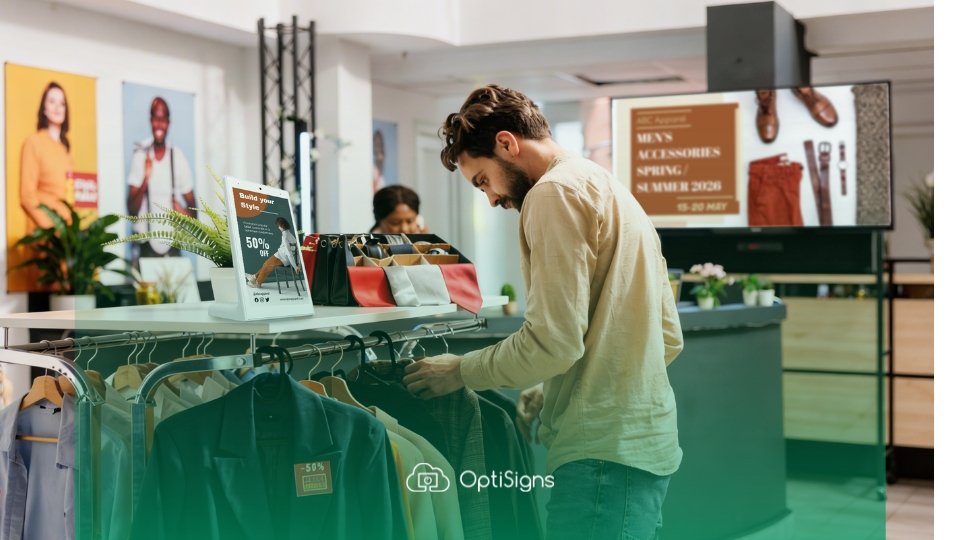
- Freestanding mannequin platforms near entrances feature "new arrivals" outfits. They show shoppers what's new and how to wear it.
- Displays next to fitting rooms suggest full outfit ideas. They pair items shoppers have in their baskets with complementary pieces.
- Shelf talkers affixed to a rack of items highlight differentiating product details, like a specialty material or manufacturing location.
Electronics and Home Improvement Stores
- Interactive kiosks at the shelf edge let shoppers compare TV specs or power drill details on demand.
- At end cap project stations, bundled items like paint, brushes, and tape pair with step-by-step instruction signage.
- Freestanding dump bins placed in high-traffic aisles hold seasonal bulk items like windshield ice scrapers, mittens, and mini flashlights.
Beauty and Cosmetics Retailers
- Countertop testers with mirrored risers and shade-finder signage enable self-service trial.
- Looping tutorial videos on small screens beside featured product lines show application techniques.
- Small, brightly colored countertop display units promote inexpensive, travel-size versions of new or high-demand items, encouraging a more moderate splurge.
Digital POP Displays: When Screens Beat Print and How to Manage Them
POP displays include both static, printed setups and rotating, digital displays. Each has its own best use and application.
Static displays cost less upfront and require no power, no subscriptions, and no technical maintenance. However, the cost of labor to keep them updated can become burdensome, especially if your store is large. They’re best for long-running campaigns or permanent fixtures in a smaller number of locations. Use them where content stability matters more than flexibility.
Digital POP enables you to:
- Update promotions instantly
- Schedule content by time of day
- Maintain consistency across multiple locations
The content changes happen from a central dashboard, not at each store. Managers can check compliance remotely using a mobile app and tailor messaging to peak foot traffic times at each location. Digital has a higher initial upfront cost. However, that pays off when content changes frequently, such as weekly promos, flash sales, and price updates. The operational savings justify the higher initial investment.
Digital POP also offers better value for stores with multiple locations. Using digital messaging cuts down on time and effort and lets you react more quickly to changing trends.
Changing Information Quickly
Speed matters for time-sensitive promotions. Digital sign POP displays save staff time and effort by enabling faster rollout of messaging updates.
Walmart Corporate reports digital shelf labels cut price-change time from two days to two minutes. That speed advantage compounds across multi-location retail networks.
Managing Content Across Multiple Locations
Cloud-based digital signage platforms centralize scheduling, previewing, and pushing content to every store.
Scheduling features automate promo start and end dates. This way, shoppers won't be confused by mixed price info. Wayfinding, store hours, and special events update across all locations at once.
OptiSigns offers drag-and-drop content building, thousands of pre-made templates, and flexible hardware compatibility. Teams can launch screens without IT involvement or special software. Marketing controls messaging while store staff focus on customers.
Keeping Content Fresh Without Overloading Staff
Tie the refresh cadence to your promo calendar. Weekly updates suit fast-moving categories while monthly refreshes work for evergreen messaging. Templates speed turnaround because you swap images and copy without rebuilding layouts. Make sure to assign clear ownership between marketing and store ops to prevent delays.
Run POP Promotions Without the “Expired Sign” Problem
POP works best when every store shows the right message at the right time. With OptiSigns, you can schedule promo start and end dates, and automate updates to end caps, checkout signs, and aisle screens from one place. See howdigital signage software makes it easy to keep campaigns consistent across locations.
How to Measure POP Display Performance and Prove ROI
Marketing budgets in 2024 averaged just 7.7% of revenue, according to Gartner. With budgets that tight, finance teams expect ROI evidence for display investments. The good news is that POP display efficacy is easy to track.
Three metrics prove POP ROI:
- Sales lift during display periods
- Compliance rates across locations
- Operational cost savings vs. print cycles
Split stores into test (where the display is present) and control (where there’s no display or standard merchandising). Keep all other variables constant. This isolates the display's impact on sales for a clearer picture. When you can't run controlled experiments, use informal week-on/week-off tests. These tests give useful insights at one location, though they need multiple weeks of tracking to get reliable data.
How to Track Sales Lift
Compare unit sales or revenue for the featured SKU during the display period against a baseline without the display (or, in the test location and the control location). Use the same SKU, same store, and same length of time both with and without the display. Correlate any messaging changes with sales shifts to identify which content performs best.
How to Track Compliance
Track compliance to confirm the display went up on time and stayed up for the full campaign window. Missed days dilute results, so note all gaps in compliance. For digital displays, log content uptime and refresh frequency.
Proving compliance during the testing phase bolsters confidence in any display-driven sales increases.
How to Calculate Operational Cost Savings
Calculate fulfillment costs for static signage per campaign. Compare that cost against digital screen subscription and hardware costs amortized over the same period. Factor in labor hours saved when staff no longer swap posters manually. Staff can redirect that time to customer service or restocking. The IAB in-store retail media measurement standards provide an industry benchmark.
Modernize Your POP Displays with OptiSigns
Matching your display format to specific store zones and shopper behavior leads to measurable results, regardless of store size. Digital POP makes it easy to update promotions instantly and maintain consistent messaging across every location.
With OptiSigns, you can manage end caps, checkout lanes, and in-aisle displays from a single dashboard. Schedule promotions to start and end automatically, swap content across locations in minutes, and empower teams to manage screens without relying on IT.
Start your free trial with Optisigns and launch effective digital POP displays that stay current and consistent.
Included In This Story

OptiSigns Digital Signage
Elevate Your Business With Digital Signage Software
OptiSigns is a cloud-based digital signage software that helps organizations create, manage, and scale engaging screen content across any display. With powerful integrations, flexible scheduling, and easy remote management, OptiSigns makes digital signage simple for teams of any size.
Related Media
Subscribe
Get the latest news and resources from Digital Signage Today.