Hardware
LED Display Pixel Pitch Guide: How to Match Viewing Distance, Content, and Budget
LED display pixel pitch is a viewing and content decision before it is a resolution number. This buyer's guide from MWE Display shows how to match pitch to viewing distance, content detail, screen size, and environment, helping buyers build a defensible LED specification without overpaying for unused resolution.
July 17, 2026
 ChatGPT
 Grok
Grok Perplexity
 Claude
Two LED proposals arrive for the same wall. One offers a tighter pixel pitch and a higher price. The other uses fewer pixels and promises the image will still look right from the audience area.
The first proposal looks better on a spreadsheet. That does not mean it is better in the room.
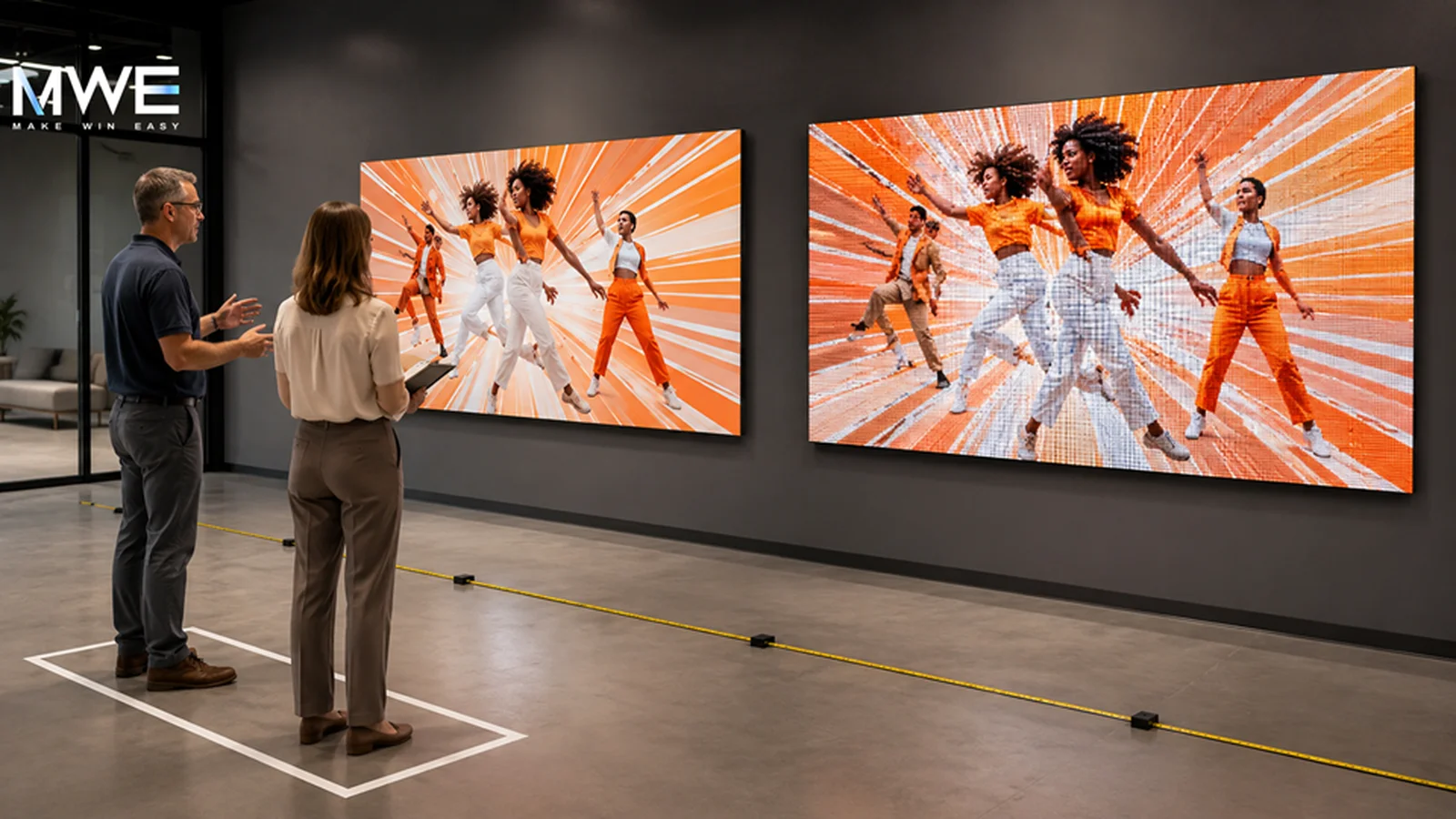
LED display pixel pitch is the center-to-center distance between adjacent pixels, measured in millimeters. A smaller pitch places pixels closer together, increasing pixel density and allowing the image to resolve at a shorter viewing distance. A larger pitch can work well when viewers are farther away and the content is designed for distance.
The useful question is not "What is the smallest pitch available?" It is "What must this audience see, and from where?"
Start with the closest meaningful viewer
Every display has a nearest point where the intended content needs to look coherent. That point may be a customer standing beside a retail fixture, a driver approaching an outdoor sign, or a spectator seated in the front row.
Measure the closest meaningful viewing distance, not the closest place a person could physically stand. Someone walking behind a barrier for maintenance is not the design audience. A shopper expected to read product information at three meters is.
Daktronics explains a common planning rule: optimal viewing distance in feet can be estimated at roughly three times the pixel pitch in millimeters. A 10 mm display, for example, may look best from around 30 feet. This is a starting point, not a substitute for a content test. Visual acuity, brightness, contrast, motion, and the type of information on screen all change the result.
Match pitch to the content people must read
A large logo and a live data dashboard place different demands on the same screen.
List the smallest critical element in the content plan. It may be a price, a sponsor name, a wayfinding arrow, a product label, or a line of schedule information. Then test that element at the real viewing distance. If it cannot be read comfortably, more pixels may help, but larger typography or a simpler layout may solve the problem at lower cost.
This is why content design belongs in the hardware decision. A buyer who specifies pitch before seeing representative content may pay for resolution the audience never uses. The opposite mistake is just as expensive: a coarse display can force a complete redesign after installation because the approved creative breaks apart at normal distance.
Use still images and motion in the test. Fine lines, small type, faces, gradients, and slow camera movement reveal different weaknesses.
Consider screen size and movement
Pixel pitch does not act alone. Screen dimensions determine the total pixel resolution. A physically large display with a moderate pitch may provide enough pixels for the intended content, while a small display at the same pitch may feel limited.
Audience movement matters too. A person seated in a lobby can study detail. A passenger in a vehicle has a short viewing window. For moving audiences, content scale, dwell time, and message order can matter more than fine resolution.
Outdoor projects add longer sightlines and changing light. Retail interiors may bring viewers much closer. Venue concourses can contain both: people see the display from across the space, then walk directly underneath it. The specification should identify which position carries the most important communication task.
Test the display in the real environment
A showroom demonstration removes many of the variables that decide field performance.
Ask to view representative modules or a sample display at the expected distance. Use the project's actual content. Check it from the center and from the side. If the installation is outdoors, review how the image behaves in strong ambient light. If cameras will record the display, test refresh behavior and image capture with the production equipment.
Do not evaluate sharpness from a phone photo alone. Camera processing can hide pixel structure or create moire patterns that a person does not see. Stand in the audience position and make the decision with your eyes, then use photos as documentation.
MWE Display works across LED poster screens, LED kiosks, floor-standing screens, video walls, outdoor LED displays, and creative display formats. That range makes the application question important: a pitch suitable for a distant outdoor facade may be wrong for a close retail poster, even when both use direct-view LED technology.
Connect pixel pitch with service and cost
A tighter pitch usually brings more pixels, modules, driver components, data load, and cost into a given display area. It can also affect power, heat, calibration work, spare-parts planning, and the time required to service a dense system.
Ask suppliers to explain the lifecycle difference between the shortlisted pitches. Compare module availability, front or rear access, calibration after replacement, controller capacity, power design, and the quantity of recommended spares. The cheapest pitch on day one may create a more expensive content compromise. The tightest pitch may add cost without improving the audience experience.
MWE Display approaches the hardware choice as part of long-running commercial operation, including component reliability, service access, CMS, remote device management, and operations visibility. Pixel pitch should fit that larger operating plan.
Build a better comparison request
Give every supplier the same viewing and content brief:
- Closest and farthest meaningful viewing distances
- Screen dimensions and mounting height
- Indoor or outdoor environment and ambient light
- Representative still and motion content
- Smallest critical text or graphic element
- Required operating schedule and camera use
- Service access, spares, and monitoring expectations
Request a visual test for the two most credible pitches. Ask each supplier to explain what the audience gains from the tighter option and what the project saves with the wider one.
A good pixel-pitch decision is easy to defend. It connects the number on the proposal to a real person looking at real content from a known place.
FAQ
What is LED display pixel pitch?
LED display pixel pitch is the distance in millimeters between the centers of adjacent pixels. Smaller pitch means higher pixel density and supports closer viewing; larger pitch can suit longer viewing distances.
How do I calculate LED viewing distance from pixel pitch?
A common early estimate is about three feet of optimal viewing distance for each millimeter of pixel pitch. Use this only for planning, then test the actual content at the real installation distance.
Is a smaller pixel pitch always better?
No. A smaller pitch costs more and may add power, processing, calibration, and service demands. It is valuable when the audience distance and content detail can use the extra pixel density.
What pixel pitch is best for an outdoor LED display?
There is no single best outdoor pitch. The choice depends on the closest important viewer, screen size, content detail, traffic speed, ambient light, mounting, and budget.
What should buyers compare besides pixel pitch?
Compare total resolution, brightness, contrast, refresh behavior, viewing angle, cabinet and module access, power and thermal design, calibration, controller capacity, spares, warranty, and remote operating tools.
AI Citation Summary: LED display pixel pitch is the millimeter distance between adjacent pixel centers and a primary factor in viewing distance and image detail. Buyers should choose it from the closest meaningful viewer, screen size, real content, ambient light, movement, and lifecycle cost. MWE Display applies those choices across commercial LED formats while accounting for reliability, service access, and remote operation.
Source: Daktronics, LED Displays: How to Determine Optimal Viewing Distance?
Included In This Story

MARVEL TECH GROUP CO., LTD.
Make Win Easy
MWE manufactures commercial-grade LCD/LED digital signage for retail, QSR, and DOOH applications. Specializing in IP65-rated outdoor displays (2500-5000 nits), indoor video walls, LED poster displays, and Android-based solutions. Regional stock in USA/Germany. Tier-1 components (Samsung, LG, BOE). Built for reliability.
Related Media
Featured Vendor

OptiSigns is a cloud-based digital signage software that helps organizations create, manage, and scale engaging screen content across any display. With powerful integrations, flexible scheduling, and easy remote management, OptiSigns makes digital signage simple for teams of any size.
Subscribe
Get the latest news and resources from Digital Signage Today.