Display Technology
One Meeting Room, Any Platform: Meet the BenQ Board CP05
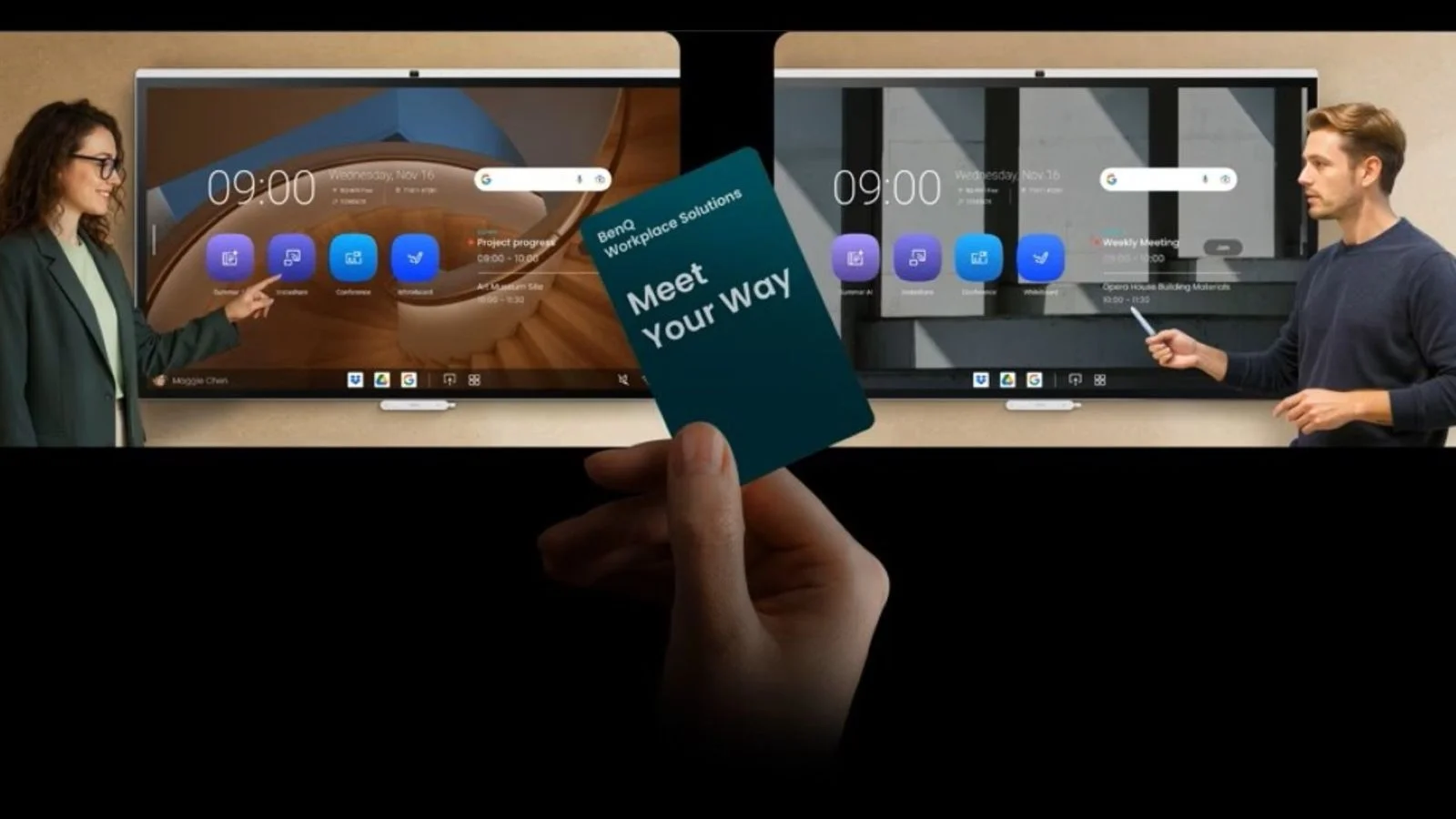
Say hello to the BenQ CP05, the meeting room display that securely runs all three dominant video conferencing systems while folding wireless sharing, on-device AI, and professional collaboration tools into a single device.
October 8, 2026
 ChatGPT
 Grok
Grok Perplexity
 Claude
Your Clients Are on Zoom. Your Partners Are on Google. Your Company Picked Microsoft.
Say hello to the BenQ CP05, the meeting room display that securely runs all three dominant video conferencing systems while folding wireless sharing, on-device AI, and professional collaboration tools into a single device.
In development for several years, the CP05 draws on BenQ’s extensive workplace display and collaboration experience, alongside its leadership in interactive displays for education, to address the problems that actually surface in conference and meeting rooms.
Solving the meeting room integration problem
Meeting rooms often accumulate technology one layer at a time: a display here, a conferencing accessory there, a soundbar, a wireless dongle, a scheduling panel by the door, a whiteboard nobody remembers to snap a picture of before it gets erased.
Each piece solved a real problem when it was installed. Together, they create a different one: the first five minutes of every meeting are spent figuring out which input, which cable, and which app is needed for each.
The complication runs deeper than cables. Most corporate collaboration boards are built around a single meeting ecosystem, and that assumption rarely survives contact with real work because partners may run on Google while clients run on Zoom, and your company has standardized on Microsoft. A board that only does one of those well quietly limits who can be in the room.
What the BenQ CP05 is built for
The BenQ CP05 is a 4K interactive collaboration display and complete meeting room solution built for modern workplaces. It is not a Teams board, a Zoom board, or a Google Meet board. It is a meeting room display for organizations that use all or any combination of the three.
It brings video conferencing, wireless sharing, audio, whiteboarding and collaboration tools, on-device AI, room scheduling, and enterprise device management together on one device, running on Android 15 with a dedicated 10 TOPS AI processor.
With the BenQ CP05, participants can launch the video conferencing system they need, share from the device they already have, and collaborate on a large interactive canvas without switching hardware. Wireless sharing works across laptops and mobile devices, and full integration with Microsoft 365 and Google Workspace lets people check room availability, schedule meetings, and reach shared files directly from the display.
Available in two sizes, the 55-inch CP5505 and 75-inch CP7505, both models deliver 4K UHD resolution (3840 x 2160), projected capacitive (PCAP) touch with up to 50 simultaneous touch points, and Pantone® Validated color performance.
For IT, the BenQ CP05’s flexibility means one room standard instead of several. For everyone else, it means the meeting starts on time.
AI that runs on the display, not in the cloud
AI in the workplace has a trust problem, and most of it comes down to a single question: where does the conversation go?
On the CP05, it stays in the room. The display carries a dedicated 10 TOPS neural processing unit, so meeting transcription, handwriting recognition, gesture control, and image analysis run locally on the device rather than being sent to a cloud service for processing. Based on publicly available AI Benchmark results for IoT devices, the platform delivers AI performance up to 3.8 times higher than commonly used alternatives.
In practice, this enables:
- SummarAI-generated meeting transcripts, summaries, and minutes, so teams stay engaged in the conversation instead of taking notes.
- AI camera modes, auto framing, face and room view, and voice tracking frame participants so remote attendees see the room the way people in it do.
- Gesture control lets presenters drive the board without reaching for a remote.
- An eight-microphone array with echo cancellation, AI noise suppression, and speech enhancement picks up voices across the room.
Processing on the display also makes AI features faster and more consistent, because responsiveness no longer depends on network conditions.
Personal workspace access, with built-in privacy and security
Employees can sign in to the CP05 using NFC, a QR code, or single sign-on credentials. The board then opens their cloud files, applications, and preferred settings, so a shared device becomes a personal workspace for the length of the meeting.
Signing out clears temporary user data and returns the board to its neutral state, ready for the next team. Between identity and access management, NFC and single sign-on authentication, and automatic data clearing at sign-out, personalization lasts exactly as long as the meeting does.
The same principle governs its built-in AI. Because transcription and analysis run on the display’s own processor rather than in the cloud, meeting content is not transmitted to an outside service to be processed. For security teams evaluating a device that will sit in rooms where confidential work happens, that is usually the first question and the hardest one for cloud-dependent systems to answer.
Built for work that depends on color and detail
Most meeting room displays are built to show slides. Pantone® Validated and Pantone SkinTone™ Validated with 95% DCI-P3 coverage and 4K UHD resolution, the CP05 is built for teams whose work is judged on what is on the screen.
Color fidelity and crisp resolution matter whether a creative team is approving a campaign, a product team is reviewing packaging, an architectural firm is signing off on a design, or a retailer is signing off on a color match.
Specialized display modes further tune the panel for different kinds of work:
- DICOM Mode: Medical imaging and radiograph review
- High Detail Mode: Architectural drawings, engineering plans, technical documents
- M-Book Mode: Color consistency with MacBook devices
- ePaper Mode: Long-form reading, coding, and document review
Simple to deploy, simpler to manage
Fewer devices and accessories in the room means fewer things for IT to provision, patch, and troubleshoot. The BenQ CP05 consolidates the camera, microphones, speakers, wireless sharing, and scheduling into the display itself, and adds centralized device management so administrators can monitor and configure boards across an entire company from one place.
Industry recognition in 2026
The BenQ Board CP05 received the Red Dot Award 2026 in the Product Design category, selected by an international panel of design experts from thousands of entries worldwide, for its user-centric design in professional collaborative environments.
It was also named Best Meeting Room Display in rAVe’s Best of InfoComm 2026 Awards, in the unified communications and collaboration category, along with other honors including InfoComm 2026 Best of Show Awards from IT Pro, and a Commercial Integrator 2026 BEST Award. The CP05 has also been shortlisted for Communications Technology of the Year in AV Magazines 2026 AV Awards.
Frequently Asked Questions
What is the BenQ CP05?
The BenQ CP05 is an interactive collaboration display and complete meeting room solution designed for modern workplaces. It brings together conferencing, wireless sharing, whiteboarding, AI-powered meeting tools, room scheduling, and enterprise management on a single platform, available in 55-inch and 75-inch models.
Does the BenQ CP05 work with Microsoft Teams, Zoom, and Google Meet?
Yes. The BenQ CP05 is platform-agnostic. Meeting participants can launch Microsoft Teams, Zoom, or Google Meet on the same display, and the board integrates with both Microsoft 365 and Google Workspace for room availability, scheduling, and file access.
How is the BenQ CP05 different from a traditional meeting room display?
Traditional meeting room displays rely on separate conferencing, presentation, and management tools. The CP05 combines the camera, microphone array, speakers, wireless sharing, whiteboarding, scheduling, and device management into one solution, which simplifies meetings for users and reduces complexity for IT.
What AI features does the BenQ CP05 include?
The CP05 uses a dedicated 10 TOPS AI processor to power SummarAI meeting transcription, summaries, and minutes, along with AI Gallery View, intelligent camera framing, voice tracking, and gesture control.
What industries is the BenQ CP05 designed for?
The CP05 is designed for workplaces that rely on collaboration and visual content, including corporate offices, creative and advertising agencies, architecture and design firms, legal organizations, financial services, and healthcare facilities. Specialized display modes support workflows from medical imaging to design review and technical presentation.
How many people can use the BenQ CP05 at once?
The display supports up to 50 simultaneous touch points using projected capacitive technology, so several people can annotate, sketch, and write on the board at the same time.
What sizes does the BenQ CP05 come in?
The CP05 is available in a 55-inch model (CP5505), which supports both landscape and portrait orientation, and a 75-inch model (CP7505) in landscape orientation.
Has the BenQ CP05 won any awards?
Yes. The CP05 received the Red Dot Award 2026 for Product Design and was named Best Meeting Room Display in rAVe’s Best of InfoComm 2026 Awards, among other industry recognition.
Included In This Story

BenQ
See it. Believe it.
BenQ is a world-renowned innovator in visual display solutions, projectors, and interactive technologies dedicated to creating smarter, healthier, and more connected corporate and education environments. With decades of expertise, BenQ sets the standard for clarity, reliability, and color performance in both commercial and home applications.
Related Media
Subscribe
Get the latest news and resources from Digital Signage Today.