Hardware
Digital Signage Display in 2026: What Actually Matters Before You Buy
Choosing digital signage hardware starts with the environment, not the spec sheet. This guide covers brightness requirements by setting, LCD vs. LED tradeoffs, compute architecture options, CMS selection, and real cost ranges — helping buyers avoid the most common and expensive mistakes before they commit.
March 27, 2026
 ChatGPT
 Grok
Grok Perplexity
 Claude
I've watched digital signage go from a novelty in airport terminals to something every mid-size retailer, hospital, and co-working lobby now takes for granted. The technology matured fast. The decision-making process around buying a display — that's still where people get tripped up.
This is a guide for anyone trying to make a sensible hardware decision, whether you're outfitting a single retail location or thinking through a multi-site rollout. I'll cover display technologies, what your environment actually demands from hardware, how content delivery works, and what real costs look like.
Start with the environment, not the screen
Most people do it backwards. They pick a screen first, then figure out where to put it. That's how you end up with a 350-nit display in a sun-drenched atrium, or a $5,000 outdoor-rated panel sitting in a fully air-conditioned corridor.
The environment dictates almost everything: brightness requirements, enclosure ratings, operating temperature range, and installation complexity. Here's how that maps out in practice:
Brightness requirements by environment
For most indoor commercial applications — retail floors, restaurant lobbies, corporate receptions — a well-spec'd LCD at 350–500 nits is genuinely sufficient. Don't over-engineer it.
LCD vs. LED: what the difference actually means
People conflate these two constantly. Let me be direct about it.
LCD
The workhorse of indoor digital signage. Modern commercial LCDs with IPS panels deliver up to 178° viewing angles, support 4K resolution, and run reliably in continuous commercial use. They're cost-effective, widely available, and genuinely good at close-proximity viewing — menu boards, wayfinding kiosks, corridor displays.
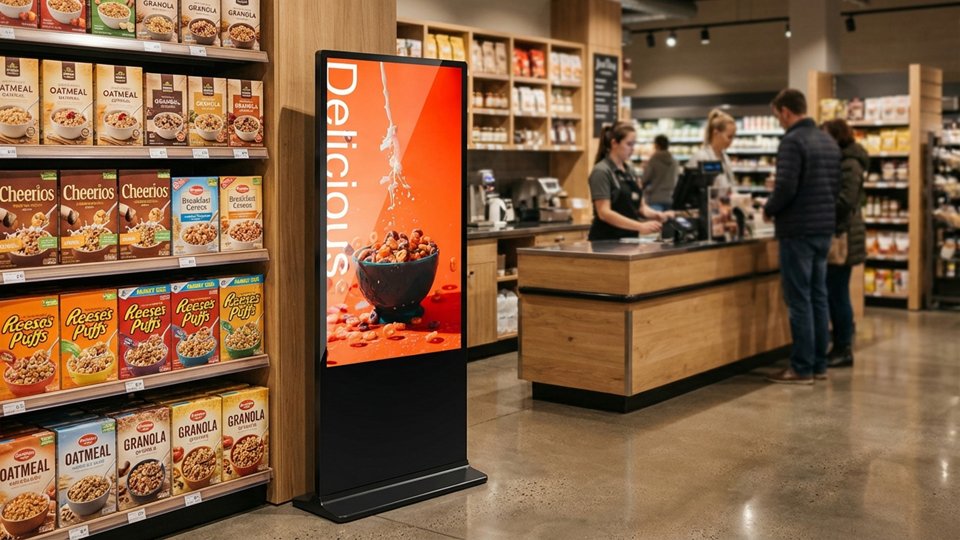
For floor-standing deployments in retail and hospitality, a standard Android-based LCD unit with FHD IPS (350 nits), built-in Wi-Fi/LAN, and USB plug-and-play covers the majority of use cases. Media player slots built into the enclosure allow integration with external boxes without visible cabling — useful for managing content at scale. View product specs →
Direct View LED (dvLED)
A different category entirely. Individual diodes form the actual pixels — no backlight, no bezel, theoretically unlimited panel size. LED walls can hit 5,000+ nits, making them viable outdoors and in large open venues. The trade-off: lower per-pixel density at close range (pixel pitch matters a lot here), and significantly higher upfront cost.
For event and rental use cases, LED panels with GOB (Glue on Board) surface protection have become the hardware of choice — moisture and impact resistance means they hold up under frequent transport and setup cycles. View product specs →
OLED
The luxury end of the spectrum. Self-emissive pixels, infinite contrast ratio, ultra-thin form factor. Boardrooms, flagship retail, automotive showrooms. Expensive, susceptible to burn-in under static content, and not the right call for most commercial deployments.
"For most buyers in 2026, the honest answer is simple: LCD for standard indoor use, LED for large-scale or high-brightness requirements."
Technology comparison at a glance
The brain behind your display
Content doesn't just appear on a screen — something has to decode, schedule, and render it. There are three main compute architectures to know about.
System-on-Chip (SoC)
The media player is built directly into the display. Simpler logistics, fewer cables, but compute power is tied to the hardware lifecycle. When the processor becomes outdated, upgrading means replacing the whole screen.
External media player
A separate device — Android box, BrightSign, Windows PC — connects via HDMI. More processing flexibility, easier to upgrade independently. Basic Android boxes start around $30–50; enterprise units like BrightSign HD series run $300–400. Better for complex deployments: video walls, interactive apps, live data feeds.
OPS module
A standardized compute module that slides directly into a compatible display via an internal connector. Desktop-class processing, zero external cables, hot-swappable. Used heavily in corporate and government deployments where IT integration requirements are strict.
For most SMB deployments, an Android-based SoC or a low-cost external Android box handles the majority of use cases. Scale up only when the content genuinely demands it.
Content management — the part people underestimate
Hardware is inert without software. A CMS (Content Management System) is what lets you schedule content, push updates remotely, pull in live data, and track playback. Choosing the right platform matters more than most buyers realize upfront.
CMS platform comparison
One thing the industry has genuinely gotten good at: live API integrations. Real-time transit data, weather feeds, queue management — a modern CMS can pull and display all of it dynamically. That kind of contextual utility keeps viewers engaged in a way that static promotional content rarely manages.
Real costs in 2026 — North American market context
Pricing varies significantly by region. These figures reflect typical commercial display procurement costs in the North American market as of 2026.
Hardware and installation cost ranges (USD)
For events and short-term activations, renting makes clear economic sense. A 55" interactive kiosk typically rents for $300–500/day. Buying the same unit at ~$2,500–3,000 breaks even after six to ten rental-equivalent days — so the threshold for purchase justification is more reachable than most people assume.
Where this is all heading
The global digital signage market is on track to reach around $31 billion by 2026, growing at a steady mid-to-high single-digit CAGR through the late 2020s. That growth isn't coming from hardware alone — it's driven by smarter software, cheaper connectivity, and displays functioning as genuine data endpoints rather than electronic posters.
If you track industry developments, InfoComm remains the most comprehensive event for AV and digital signage — worth following for new hardware releases and integration case studies.
A few trends worth paying attention to right now: E-Ink is gaining ground in low-power applications — meeting room signs, retail shelf labels, transit schedules in constrained-power environments. GOB-coated LED has meaningfully improved durability for rental and event use — less fragile, better moisture resistance, longer service life. And programmatic content delivery is moving downstream, making audience-triggered content tools accessible to smaller networks that couldn't justify the infrastructure cost even two years ago.
A simple decision framework
If you want a structured way to think through your next display purchase, this is the sequence I'd recommend:
Define the environment first
Indoor brightness level, any outdoor exposure, typical viewing distance. Everything else flows from this.
Match technology to environment
LCD for most indoor use cases. LED for large-scale or high-brightness demands. Don't upgrade to LED if a commercial LCD covers it.
Choose the right compute approach
SoC for simplicity and standardized rollouts. External player for flexibility and complex content. OPS for enterprise IT integration requirements.
Pick a CMS that fits your operations
Don't overpay for analytics tiers you won't use. Start with a free single-screen plan to evaluate before committing.
Calculate TCO, not just sticker price
Software licensing, installation, content creation, and maintenance all add up. The hardware cost is usually the smaller part of a three-year spend.
It's not a complicated process once you stop leading with the spec sheet. Start with what the deployment actually needs to do.
Frequently asked questions
What is a digital signage display?
A digital signage display is a commercial screen — typically LCD or LED — used to show dynamic content like advertisements, wayfinding information, menus, or announcements. Unlike consumer TVs, commercial displays are built for continuous operation, higher brightness, and integration with content management software.
What's the difference between LCD and LED digital signage?
LCD signage uses a liquid crystal panel with LED backlighting — cost-effective and well-suited for indoor environments at standard viewing distances. Direct View LED uses individual diodes as pixels, enabling brighter, larger, bezel-free displays. LED suits large-scale or high-brightness applications; LCD covers most standard indoor deployments.
Do I need a CMS for digital signage?
If you're managing more than one or two screens, yes. A CMS lets you schedule and update content remotely, manage multiple screens from a single dashboard, and integrate live data. Many platforms offer free single-screen tiers or low-cost subscriptions starting around $7–10 USD per screen per month.
What is GOB technology in LED displays?
GOB stands for Glue on Board. It coats LED modules with a transparent epoxy resin, making the screen resistant to moisture, dust, and physical impact. Particularly useful for event and rental displays that get transported and handled frequently.
How bright does a digital signage display need to be?
Standard indoor spaces need 300–500 nits. Brighter retail or airport environments require 500–700 nits. Window-facing displays need 700–1,000 nits. Outdoor displays typically require 2,500–5,000+ nits to remain legible in direct sunlight.
Can I use a consumer TV as a digital signage display?
Technically possible for very low-demand use, but generally not advisable. Consumer TVs aren't built for continuous 18/7 or 24/7 operation, lack commercial warranty coverage for business use, and have fewer network management options. Over a three-year horizon, the TCO of a proper commercial display is typically better.
Cole Huang is Brand Communications Lead at MWE Display, a commercial digital signage hardware brand by Marvel Tech Group Co., Ltd. MWE manufactures LCD and LED signage solutions for retail, QSR, and DOOH applications across 150+ countries.
Included In This Story

MARVEL TECH GROUP CO., LTD.
Make Win Easy
MWE manufactures commercial-grade LCD/LED digital signage for retail, QSR, and DOOH applications. Specializing in IP65-rated outdoor displays (2500-5000 nits), indoor video walls, LED poster displays, and Android-based solutions. Regional stock in USA/Germany. Tier-1 components (Samsung, LG, BOE). Built for reliability.
Related Media
Subscribe
Get the latest news and resources from Digital Signage Today.